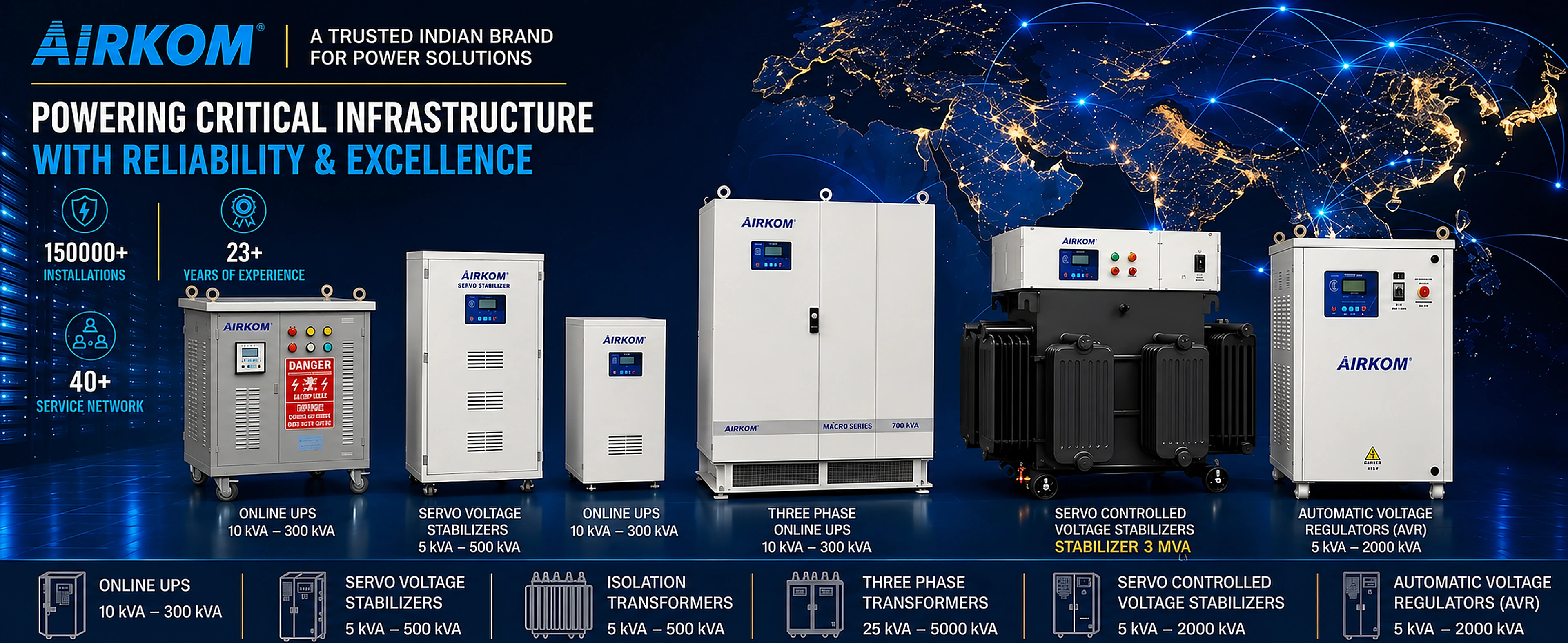






Servers, computer labs and diagnostic machines need an online double-conversion UPS. This guide maps each use case to the right Airkom series (HFT, HX1, HX3) and kVA, with backup time and battery guidance.
In this articleShow
- Use-case table: which online UPS series and kVA
- Why servers and diagnostic machines need an online UPS
- Sizing an online UPS
- 1 phase vs 3:1 vs 3:3: which UPS for your building supply
- Batteries: SMF vs lithium for the UPS bank
- Special notes for diagnostic and hospital use
- AMC and service support
- Get the right online UPS for your load
- Frequently asked questions
Short answer: Servers, computer labs and diagnostic machines need an online (double conversion) UPS, not an offline or line-interactive one. Single machines need 1–3 kVA (Airkom HFT series). A server rack or small lab needs 6–10 kVA (HX1 1:1). Larger labs on a 3 phase supply need 10–40 kVA (HX1 3:1). Server rooms and hospitals need 10–400 kVA (HX3 / i-HX3 3:3).
Choosing an online UPS is really two decisions: how many kVA and which input/output phase configuration. Get the first wrong and the UPS overloads or wastes money. Get the second wrong and it doesn't suit your building's supply. This guide maps common use cases to the right Airkom series and rating: an online UPS for server racks and rooms, an online UPS for computer lab installations in schools and colleges, an online UPS for ultrasound machine and online UPS for CBC machine set-ups in diagnostic centres, and an online UPS for hospital critical loads.
If you need the full formula for kVA and battery AH calculation, read our UPS kVA sizing guide. This article focuses on picking the right UPS for your use case.
Use-case table: which online UPS series and kVA
| Use case | Typical load | Suggested Airkom series | Suggested kVA |
|---|---|---|---|
| Single server / NAS / network rack | 0.5 – 2 kW | HFT Series 1:1 | 1 – 3 kVA |
| Ultrasound / echo machine | 0.5 – 1.5 kW | HFT Series 1:1 | 2 – 3 kVA |
| CBC / biochemistry / lab analyzer | 0.3 – 2 kW per analyzer | HFT 1:1 (single) or HX1 1:1 (several) | 1 – 3 kVA each, or 6 – 10 kVA shared |
| Full server rack / small server room | 3 – 7 kW | HX1 Series 1:1 | 6 – 10 kVA |
| Computer lab, 20–30 PCs | 4 – 7 kW | HX1 1:1 or HX1 3:1 | 10 kVA |
| Computer lab, 40–60 PCs | 8 – 14 kW | HX1 Series 3:1 | 15 – 20 kVA |
| Diagnostic lab (multiple analyzers + PCs) | 5 – 15 kW | HX1 3:1 | 10 – 20 kVA |
| Server room / data room (multiple racks) | 10 – 100+ kW | HX3 / i-HX3 Series 3:3 | 20 – 400 kVA |
| Small hospital (critical loads) | 20 – 80 kW | HX3 / i-HX3 3:3 | 30 – 100 kVA |
Treat these as planning ranges. Actual PC wattage varies a lot: an office PC with an LED monitor draws about 100–150 W, while a CAD or graphics workstation can draw 300–500 W. Check your equipment, or ask Airkom for a free site load audit.
Why servers and diagnostic machines need an online UPS
There are three common UPS types:
- Offline (standby): the load runs directly on mains. When mains fails, the UPS switches to battery after a short break of a few milliseconds. Voltage swings pass straight through.
- Line-interactive: adds basic voltage boost and buck, but still switches over during a failure.
- Online (double conversion): mains is converted to DC and then back to clean AC by the inverter, all the time. The load is always on the inverter. There is zero transfer time when mains fails, and the output voltage and frequency are independent of the input.
For servers, a switchover break or a voltage spike can mean a crash, a corrupted database or a failed disk. For an ultrasound or CBC analyzer, it can mean a reset in the middle of an exam or sample run. That is why online is the only sensible choice for these loads. Airkom's HX1 and HX3 series are true online double conversion UPS with DSC (Digital Signal Controller) technology and a built-in isolation transformer, which also helps with noise and earthing issues common in hospital and lab buildings.
Sizing an online UPS
Step 1: Add up the load in watts, convert to kVA and add headroom
- List every device that will run on the UPS, with its wattage from the label or datasheet (or volts × amps).
- Add them up to get total watts.
- Convert to kVA: divide watts by the UPS output power factor. For modern online UPS use 0.8 to 0.9. So 6,000 W ÷ 0.8 = 7.5 kVA.
- Add 20–25% headroom for start-up surges, ageing and growth. 7.5 kVA × 1.25 = 9.4 kVA, so choose 10 kVA.
Do not load a UPS to 100% continuously. Running at 60–80% gives better reliability, longer battery runtime and room to add equipment.
Step 2: Decide the backup time (internal vs external battery bank)
Backup time depends on the battery bank, not the UPS kVA. Two UPS units of the same kVA can give 10 minutes or 4 hours depending on the batteries.
- 10–15 minutes: enough for a DG set to start and take over, or for servers to shut down safely. Small UPS (HFT, 1–3 kVA) often have internal batteries for this.
- 30 minutes to 2 hours: for sites with no DG, or where labs must finish running samples. Needs an external battery bank.
- 4+ hours: for long outages. A large battery bank, often lithium to save space.
Airkom's HFT series supports an optional external battery pack, and HX1 / HX3 work with external banks sized to your backup need. The HX3 series runs on a 360/384 V DC bus with a CVCC (constant current, constant voltage) charger.
Worked example: 30-computer lab
30 PCs × 150 W = 4,500 W. Add a projector (300 W), a network switch and router (100 W) and the teacher's PC (150 W), for a total of 5,050 W. Divide by 0.8 to get 6.3 kVA, then add 25% to reach 7.9 kVA. Choose a 10 kVA online UPS. Airkom's online UPS 10 kVA options are the HX1 1:1 and HX1 3:1 models. If the building has a 3 phase supply, an HX1 3:1 unit spreads the input load across all three phases. If the supply is single phase, an HX1 1:1 10 kVA fits.
Want us to size it? Send your equipment list and required backup time, and we will recommend the series, kVA and battery bank. Explore Airkom Online UPS (1–400 kVA) or request a quote.
1 phase vs 3:1 vs 3:3: which UPS for your building supply
The ratio describes input phases : output phases.
| Configuration | Input | Output | Best for | Airkom series |
|---|---|---|---|---|
| 1:1 | Single phase | Single phase | Single machines, server racks, small labs, single-phase buildings | HFT (1–3 kVA), HX1 1:1 (6–10 kVA) |
| 3:1 | Three phase | Single phase | Larger single-phase loads (PCs, analyzers) in a building with 3 phase supply; balances the input load | HX1 3:1 (10–40 kVA) |
| 3:3 | Three phase | Three phase | Server rooms, data centres, hospitals, 3 phase equipment, large installations | HX3 / i-HX3 (10–400 kVA) |
Our view: above about 10 kVA, avoid putting a big single-phase UPS on one phase of a 3 phase building. It unbalances the supply and the electrician will complain. A 3:1 UPS draws from all three phases and gives you the single-phase output your PCs need. Once you have 3 phase loads, or are above about 40 kVA, go 3:3: a true 3 phase online UPS.
HX3 series highlights from the datasheet: AC input 415 V ±15% 3 phase, inverter efficiency up to 93% above 30 kVA, overload capacity of 110% for 1 minute and 150% for 30 seconds, 100% unbalanced load suitability and N+1 parallel redundancy. You can run two units in parallel so that one failure does not drop the server room.
Batteries: SMF vs lithium for the UPS bank
| Factor | SMF (VRLA) | Lithium (LiFePO4) |
|---|---|---|
| Upfront cost | Lower | Higher |
| Space and weight | Larger, heavier; often needs a separate battery room | Compact and much lighter |
| Life | Shorter; sensitive to high room temperature | Longer; better tolerance of heat and frequent cycling |
| Recharge | Slower | Faster, useful when outages come back to back |
| Best for | Short backup, air-conditioned rooms, tight budgets | Long backup, space-constrained server rooms, frequent outages |
See Airkom's SMF Battery and Lithium Battery ranges. For a server room that will run for 8–10 years, lithium usually costs less over its lifetime because you avoid one or two SMF replacement cycles.
Special notes for diagnostic and hospital use
- Ultrasound and echo: use a dedicated 2–3 kVA online UPS per machine rather than one shared unit. Ultrasound machines are often moved between rooms, and a dedicated UPS keeps each one independent.
- CBC and lab analyzers: check the analyzer's start-up current. Some heat or pump on start. Size with 25–30% headroom and plan enough backup to finish a sample run.
- Large imaging (CT / X-ray): full-system UPS is rarely economical. Use a static stabilizer for the system and an online UPS for the console and computers. See our guide on stabilizers for medical equipment.
- Hospitals: a central HX3 / i-HX3 3:3 UPS in N+1 configuration for critical loads (OT, ICU, nurse stations, servers) is the standard approach.
AMC and service support
An online UPS works all the time, so its fans, capacitors and batteries age. Plan for:
- Preventive maintenance visits to check battery health, clean filters and fans, and test protections.
- Battery replacement on schedule. Most UPS "failures" in the field are really battery failures.
- Response time in your city. For a server room or hospital, ask the supplier how quickly an engineer reaches site.
Airkom offers Comprehensive AMC, Semi Comprehensive AMC and on-call service for UPS systems.
Get the right online UPS for your load
When comparing online UPS manufacturers in India, ask each one for the series, kVA, battery bank and backup time at your actual load. Airkom manufactures online UPS systems from 1 kVA to 400 kVA at Mahape, Navi Mumbai, for IT rooms, educational institutions, diagnostic centres and hospitals. Send us your equipment list, building supply (1 or 3 phase) and backup time, and we will send a recommended configuration and written quote.
View all Online UPS series → | IT & Data Hubs | Request a quote / free load audit →
Frequently asked questions
What size online UPS do I need for a server room?
Add up the wattage of all servers, storage and network equipment, divide by 0.8 to get kVA, and add 20–25% headroom. A single rack usually needs 6–10 kVA (HX1 1:1). A room with several racks usually needs a 3:3 UPS of 20 kVA or more (HX3 / i-HX3), ideally with N+1 redundancy.
Which UPS is best for an ultrasound machine?
A dedicated 2–3 kVA online (double conversion) UPS is best for an ultrasound machine. It gives zero transfer time during power cuts and a clean, regulated output that protects the transducer and processing electronics. Airkom's HFT series 1:1 (1–3 kVA) suits this use.
How many kVA UPS is needed for a 30-computer lab?
At about 150 W per PC plus projector and network equipment, a 30-computer lab draws around 5 kW. Converting to kVA and adding 25% headroom gives about 8 kVA, so a 10 kVA online UPS is the right size. Use a 3:1 model if the building has a 3 phase supply.
Can I add more backup time to an online UPS later?
Usually yes, if the UPS supports an external battery bank and its charger can handle the larger bank. You can add battery strings in parallel to extend backup time. Plan the battery rack space and charger capacity at the time of purchase so that expansion is straightforward.
What is the difference between 3:1 and 3:3 online UPS?
A 3:1 UPS takes three phase input and gives single phase output. It suits large single-phase loads like computer labs in a 3 phase building. A 3:3 UPS takes three phase input and gives three phase output, which suits server rooms, hospitals and 3 phase equipment, typically from 10 kVA upward.
Is an online UPS better than a stabilizer for lab equipment?
For small, sensitive lab equipment, yes. An online UPS regulates voltage continuously and also provides backup during power cuts, so it covers both problems. A stabilizer is better value for large loads that only need voltage correction and not backup.

Engineers at Airkom Electronics, makers of servo stabilizers, online UPS systems and power transformers at our plant in Mahape, Navi Mumbai. ISO 9001 and ISO 14001 certified.